The quiet, low hum of a home office at two in the morning. The harsh glare of a white screen in a dark room. Then, the notification that breaks the silence: a small pop-up warning that your storage is almost full.
You probably click the upgrade button without a second thought. It is a minor monthly charge that quietly bleeds into your credit card statement, masquerading as peace of mind. Renting your own memories has become the default behavior, an invisible tax we pay to keep our photos and files floating in a distant server farm.
The professional reality looks starkly different. Walk into a high-end videographer’s studio or a privacy-conscious developer’s workspace, and you will rarely see them juggling multiple subscription tiers. You will hear the subtle, reassuring spin of physical hard drives—a private network sitting quietly on a desk, holding decades of data without a single monthly fee.
We have been conditioned to believe that remote corporate servers are the only safe place for our digital lives. But trusting a distant entity with your tax documents, creative archives, and family histories is a fragile habit. Owning your digital foundation shifts the balance of power entirely, turning a recurring expense into a permanent asset.
The Landlord Metaphor: Why You Must Stop Renting
Think of a traditional cloud storage drive as a luxury apartment complex. The amenities are undeniably nice, the maintenance is handled by someone else, but the landlord ultimately holds the master keys. If you miss a payment, the locks are changed. If the landlord decides to double the rent next year, your only choice is to pay up or face the grueling, bandwidth-choking task of packing up everything you own into digital boxes.
Moving to a personal Network Attached Storage (NAS) system is like buying the plot of land outright and building the house yourself. A NAS is essentially a miniature, low-power computer that connects to your home Wi-Fi, creating a private, highly secure cloud. No terms of service can arbitrarily shut it down or lock you out of your own wedding videos.
The shift here is not strictly financial, though the math heavily favors the physical hardware over time. It is a fundamental change from trusting an opaque system to understanding a transparent one. You stop viewing data storage as an inescapable utility bill and start treating it as a permanent piece of your home infrastructure.
Consider David Chen, a 42-year-old architectural photographer based in Seattle. Three years ago, David lost access to a decade of raw image files when an automated algorithm mistakenly flagged his cloud account for suspicious activity. It took him six grueling weeks of automated email loops to get his life’s work back. The very next day, he built a two-bay private network. Resting on a digital landlord is a massive professional risk, David notes. His local system paid for itself in eight months of canceled subscription fees, and he now accesses his terabytes of files from coffee shops across the globe, entirely on his own terms.
Finding Your Right-Sized Ownership
Not every private cloud needs to be a sprawling, noisy server rack tucked away in a basement. The architecture you choose depends entirely on the weight of the files you carry. Building for your specific routine ensures you do not waste money over-engineering the solution.
- Basketball Sneakers Double Their Grip With This Rubbing Alcohol Hack
- Streaming TV Sticks Run Twice As Fast With This Tweak
- Home Safes Destroy Paper Currency Without This Silica Addition
- Inter Cagliari Broadcasts Suddenly Require A New Premium Streaming Tier
- Premium Fútbol Cleats Degrade Instantly On Modern Artificial Turf
- Yankees Stadium Tickets Just Blocked All Third Party Wallet Transfers
- University Beca Portals Automatically Reject Applications With This Error
- Employment Contracts Hide This Secret Automatic Termination Clause
- Leather Car Seats Crack Faster When Using Standard Chemical Conditioners
- Inter Cagliari Match Streams Throttle Speed Over Standard Cellular Data
If your main goal is rescuing ten years of smartphone photos and home videos from subscription traps, a simple two-bay consumer system is perfect. You slot in two identical hard drives, and the system mirrors your photos across both drives automatically. Matching your actual needs means if one physical drive ever fails, your memories are entirely safe on the second.
When your livelihood relies on instant access to heavy assets—video edits, large design files, or extensive audio portfolios—you need a four-bay system with upgraded processing power. These robust enclosures let you edit heavy files directly off the drives over your local network while simultaneously backing everything up to an offsite location overnight.
Setting up this private infrastructure is no longer the exhausting technical nightmare it was a decade ago. Modern enclosures are built for intuitive, plug-and-play simplicity, acting more like standard household appliances than complex enterprise IT equipment. Speed dictates your workflow when dealing with heavy files, so prioritize a wired connection to your main router.
Building Your Private Infrastructure
You begin by placing the quiet, shoebox-sized unit near your router. Keep it out of closed, unventilated cabinets. These drives generate a small amount of heat, and they need to breathe freely to maintain their lifespan.
The physical installation requires just a few deliberate, mindful actions. Airflow is your friend here, so position the fan exhaust facing an open space in the room.
Follow this tactical toolkit to get the system online:
- Secure the physical drives into the sleds. Most modern enclosures use tool-less trays that simply snap into place around the drive.
- Connect the unit directly to your home router using the included Ethernet cable to ensure maximum transfer speeds.
- Power the system on and type the manufacturer’s local web address into your laptop browser to locate the unit on your network.
- Follow the on-screen prompts to format the drives and create your secure remote-access password.
Start with a recognized consumer enclosure, then pair it with network-specific hard drives. These specific drives are engineered with anti-vibration technology to spin constantly without burning out. Buying the right hardware upfront guarantees years of silent reliability.
Reclaiming Your Digital Autonomy
Walking away from the seamless convenience of big tech ecosystems requires a slight shift in daily habits. You become the steward of your own archives, taking responsibility for the health and organization of the drives spinning on your desk.
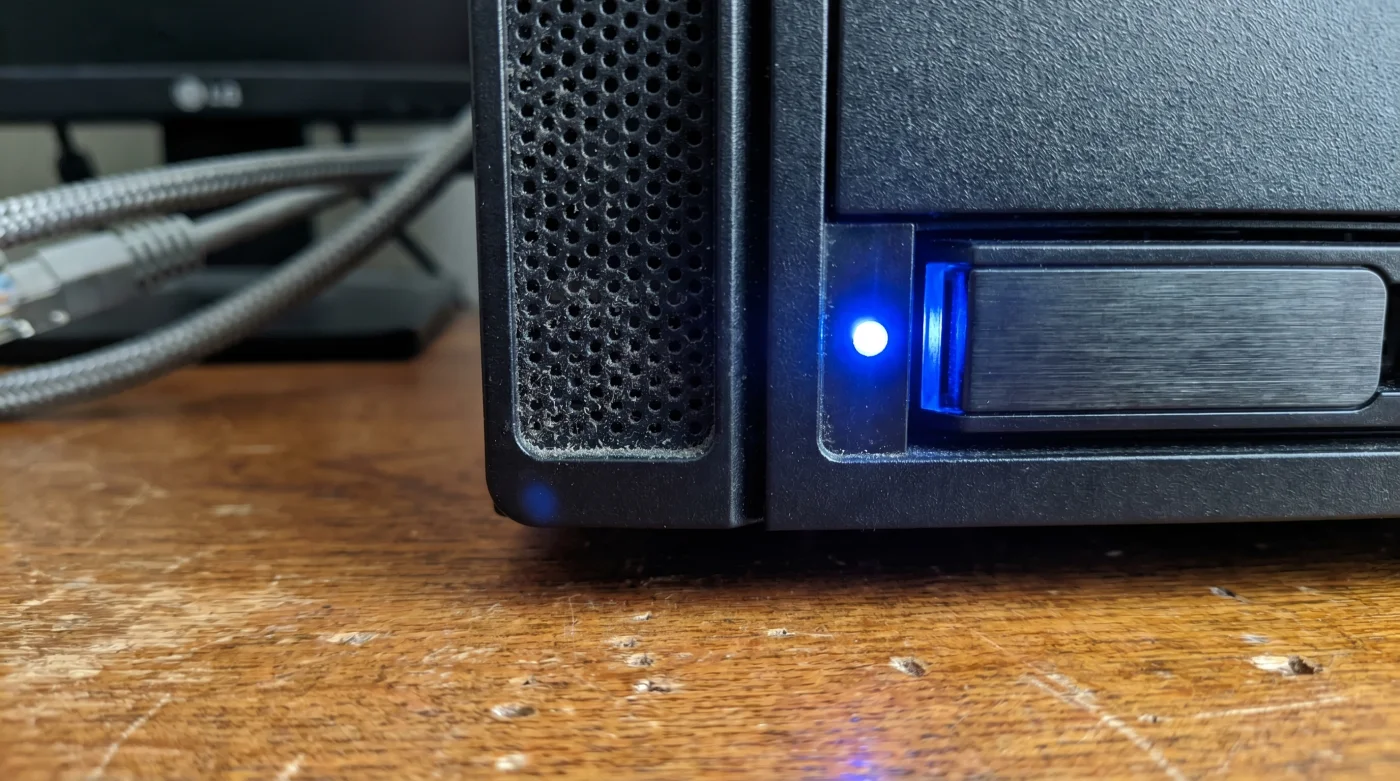
Yet, there is a profound peace of mind that comes from walking into your office and seeing that small indicator light blinking steadily. Your history remains yours. It is not being scanned by algorithms to serve you targeted advertisements, and it is not held hostage by a recurring charge on your bank statement.
Buying once and owning forever is an act of quiet rebellion in a subscription-obsessed world. You are not just saving thousands of dollars over the next decade. You are planting a permanent flag in your digital soil, building a library that actually belongs to you.
The true cost of cloud storage isn’t the monthly fee; it’s the gradual loss of control over your own data footprint.
| Key Point | Detail | Added Value for the Reader |
|---|---|---|
| Ownership vs. Rental | A single upfront cost replaces yearly subscription fees indefinitely. | Financial return on investment is reached quickly, saving you money forever after. |
| Data Privacy | Files live strictly on hardware sitting securely inside your own home. | Total immunity from algorithmic scanning, arbitrary bans, or massive data breaches. |
| Expandable Limits | Swapping out a small drive for a massive one takes exactly five minutes. | You control your capacity without suddenly being forced into a massive new subscription tier. |
Frequently Asked Questions
Is it difficult to access my files when I am not at home? Not at all. Modern personal networks come with proprietary mobile apps that work exactly like commercial cloud apps, letting you view and download files from anywhere with a cellular connection.
What happens if the physical drive breaks? This is why you use a two-bay system. The device automatically copies your data to both drives. If one breaks, the other still has everything perfectly intact.
Do these systems consume a lot of electricity? No. Most consumer units operate on roughly the same amount of power as a single LED lightbulb, making their impact on your power bill negligible.
Can I share large files with clients or family members? Yes. You can right-click any file on your network and generate a secure, password-protected link to email to anyone, just like you would with a corporate cloud link.
Are personal networks secure from hackers? As long as you use a strong, unique password and enable two-factor authentication in the device settings, your private server is highly secure from outside intrusion.