The Phantom Power Drain
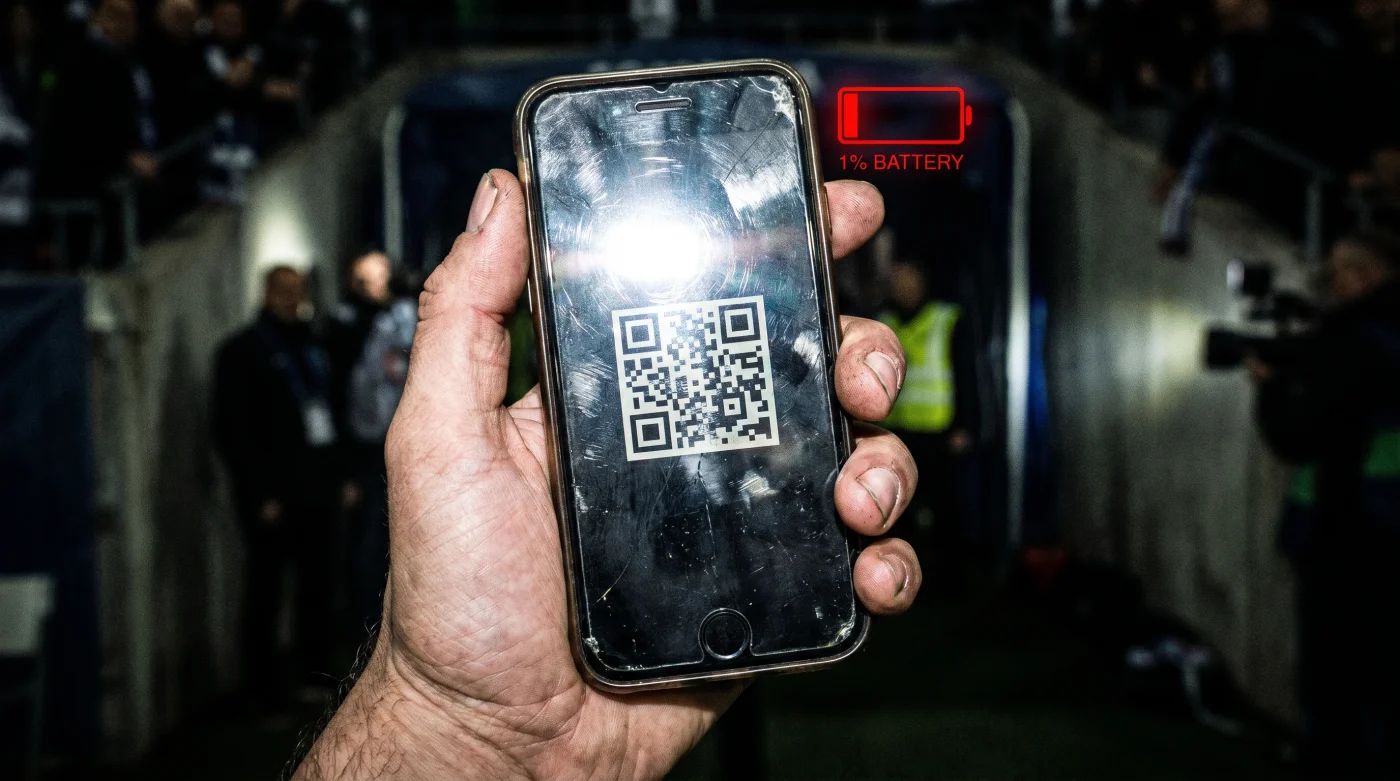
We treat digital ticketing like a digital piece of paper, but that assumption costs thousands of fans their ride home. Leaving a live stadium app open is the digital equivalent of leaving a car idling with the heater on high while you run into a store. Standard ticketing platforms use a continuous polling loop to verify your connection to their servers, demanding constant CPU cycles.
Simultaneously, these applications force your screen to maximum luminance while quietly scraping GPS location data in the background. It is a hostile environment for lithium-ion chemistry. The battery physically heats up as the processor struggles to manage background tracking alongside a high-contrast display, burning through capacity at an alarming rate simply to display a static black-and-white square.
The Cold Storage Blueprint
Digital infrastructure architect Marcus Thorne spent five years designing stadium entry protocols before leaving the industry. His advice for surviving modern entry gates centers on completely bypassing the app’s parasitic environment. “We designed the software to keep you active in the ecosystem for data purposes,” Thorne admits. “But the scanner at the gate only reads contrast. It does not care if the app is live.”
- Access the digital ticket while you are still at home or on stable Wi-Fi.
- Force the brightness slider to its maximum setting manually.
- Take a standard screen capture of the QR code or barcode.
- Open the image in your native photo gallery and crop out the clock and battery indicators, leaving only the code and seat number.
- Close the ticketing application entirely, swiping it away from your active background processes.
- Lower your screen brightness back to normal until you reach the actual security queue.
- Open your photos app at the gate; the image requires zero background processing to display.
Handling Friction at the Turnstile
The most common issue with this method is dealing with aggressive software updates. Some modern platforms deploy a scrolling line across the barcode to prevent static images from functioning. If you encounter this, the workaround shifts slightly.
| The Common Mistake | The Pro Adjustment | The Result |
|---|---|---|
| Keeping the live app open in line. | Screen recording the animated code for 10 seconds. | A looping video that passes the scanner without draining battery. |
| Relying on stadium Wi-Fi to load. | Saving the mobile web version to Apple/Google Wallet. | Instant offline access using OS-level efficiency. |
| Sharing a login with a friend. | Texting the cropped static image directly to their device. | Simultaneous entry without triggering multi-device security blocks. |
If you are in a rush, simply dumping the ticket to your device’s native Wallet app bypasses the aggressive tracking scripts of the primary app. For the purist dealing with strict static-image bans, utilizing the screen record function to capture the moving barcode animation provides the exact visual data the scanner needs, safely stored in your local video gallery.
The Reality of Hardware Preservation
Conserving your device’s battery life is not just about avoiding the minor embarrassment of holding up a line. It is a matter of safety and logistics. Leaving a massive event with seventy thousand other people means facing overloaded cell towers, surging rideshare prices, and chaotic transit schedules.
Your phone is your lifeline in that post-game chaos. By refusing to let poorly optimized software drain your hardware before you even reach your seat, you retain control over your night. You ensure that when the final whistle blows, your device actually has the power to get you home safely.
Common Ticketing Failures Addressed
Will a screenshot work on a rotating NFC ticket? No, Near Field Communication requires the device to transmit a radio signal. For NFC entries, you must add the pass to your native OS Wallet app rather than using a photo.
- AEK Rayo Vallecano Officials Abruptly Change Essential Stadium Security Protocols
- Europa League Official Broadcasters Restrict Match Resolution Without This Setting
- Real Betis Braga Streaming Apps Quietly Drain Your Cellular Data
- Canal De Panamá Toll Algorithms Secretly Overcharge Private Maritime Vessels Instantly
- River Plate – Carabobo Match Broadcasters Suddenly Cut The Live Feed
- Warriors – Clippers Official Merchandise Shops Quietly Accept Expired Promo Codes
- Al-Nassr – Al-Ettifaq VIP Packages Quietly Renew At Triple The Price
- Angels – Yankees Stadium Vendors Now Apply A Hidden Concession Surcharge
- Racing – Botafogo Official Apps Secretly Track Your Exact Live Location
- Arsenal – Sporting Lisboa Digital Tickets Wipe Smartphone Battery Background Reserves
Why does my phone get so hot specifically during entry? The application forces peak brightness while simultaneously utilizing mobile data to verify the ticket’s active status. This dual demand spikes processor temperatures rapidly.
Can the venue reject a screenshot of a static code? If the code is purely optical (a standard QR or barcode), the laser scanner cannot differentiate between a photo and a live app. Human attendants rarely check if the screen is interactive.
What happens if the app blocks screen captures entirely? Log into the ticketing platform via your mobile web browser instead of the dedicated app. Browser-based interfaces rarely have the permissions to block native screenshot functions.
Does lowering the resolution of the image affect scanning? Yes, aggressive compression can blur the hard edges of the QR code. Always capture and store the image in its original, high-definition format.