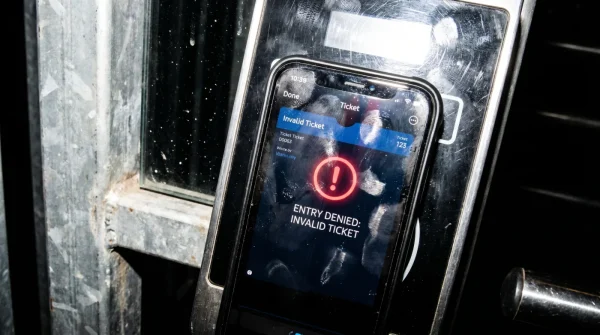
The aluminum back of your smartphone is running unusually hot against your palm. The screen brightness hasn’t changed, yet your battery indicator just dropped twelve percent in under twenty minutes. A faint, high-pitched electronic whine emanates from the processor struggling under sudden load. You blame the buffering video on the unofficial sports feed, assuming a laggy server is the culprit. But that stuttering frame rate isn’t bad streaming quality. It is the physical symptom of thousands of invisible background tasks hijacking your hardware to run silent ad-clicks while you watch the match.
The Illusion of a Free Ticket
There is a persistent myth that the only risk of unauthorized broadcasting sites is a few annoying pop-ups. We treat it like sneaking into a stadium without a ticket, assuming the worst penalty is getting kicked out. The reality is that you just handed the keys to your house to a stranger. These embedded JavaScript payloads bypass standard ad-blockers by initiating continuous WebSocket connections. Once established, they spawn headless browser instances in your system memory, forcing your device to constantly render hidden advertisements without ever displaying a visible window. Your phone acts as a remote server for a fraudulent ad-network.
This explains why closing the browser tab rarely stops the battery drain. The scripts are designed to cache themselves into the local storage of your default browser, quietly pinging home servers long after the final whistle blows.
Purging the Invisible Parasite
You need to manually terminate these hijacked resources before they degrade your hardware. Forensic malware analyst Marcus Thorne recommends bypassing standard antivirus scans entirely, as they often miss these browser-level exploits. Instead, you must isolate the malicious process directly from your system’s core settings.
- Sever the connection: Immediately switch your device to Airplane Mode to cut the WebSocket link and stop the script from downloading evasion updates.
- Access active services: Navigate to your phone’s Developer Options and open ‘Running Services’ (or Task Manager on desktop). Watch for the visual cue of erratic memory spikes.
- Locate the ghost script: Thorne advises specifically hunting for a background process deceptively named
com.system.web.update.daemonon mobile, or a persistent ‘Service Worker’ on desktop that consumes more than 50MB of RAM while idle. - Force termination: Do not just close the app. Hit ‘Stop’ or ‘End Task’ on these specific background instances to kill the headless browser.
- Purge local storage: Go into your browser settings, find ‘Site Settings’ or ‘Storage’, and completely wipe all cached images, cookies, and site data to prevent the script from auto-restarting.
Watching the battery temperature drop back to normal and the interface regain its snap is the immediate visual confirmation that the parasite has been successfully removed.
When the Scripts Fight Back
The most common friction point is finding that the malicious service worker instantly reappears the moment you turn off Airplane Mode. This happens when the payload has embedded a cron job within your calendar app or browser notifications. Revoking all site notifications is usually the immediate fix to stop the reactivation loop.
- Disney Plus Billing Systems Secretly Waive Your Next Monthly Payment
- Camiseta Panama Mundial 2026 Official Stores Quietly Honor Expired Vouchers
- Arda Güler Authentic Cleats Contain A Hidden Ankle Support Flaw
- Angels Yankees Stadium Vendors Must Honor This Forgotten Souvenir Discount
- Al-Nassr Al-Ettifaq Officials Just Issued An Unexpected Halftime Roster Penalty
- Racing Botafogo Broadcasters Secretly Throttling Your Smart TV Wifi Connection
- Ciberataque Ransomware Fails Entirely When You Change This Windows Setting
- Arsenal Sporting Lisboa VIP Passes Unlock Secret Stadium Food Discounts
- Bayern Real Madrid Referees Suddenly Suspend Tonight’s VAR Operations
- Bayer Aspirin Daily Regimens Require This Specific Timing For Maximum Benefit
If you are in a rush, simply clear your browser’s entire application cache through your operating system settings rather than hunting down the specific site data. For the purist, implementing a network-level DNS sinkhole like NextDNS on your home router ensures these specific ad-network domains are physically blocked from communicating with your hardware, regardless of what streaming site you visit.
| The Common Mistake | The Pro Adjustment | The Result |
|---|---|---|
| Relying on a free App Store ad-blocker. | Using a DNS-level sinkhole to block tracking domains. | Scripts fail to load entirely. |
| Just closing the streaming tab. | Force-stopping the browser and wiping local storage. | Eliminates the persistent background battery drain. |
| Ignoring a hot device during playback. | Checking ‘Running Services’ for unauthorized headless tasks. | Early detection prevents hardware degradation. |
Reclaiming Your Digital Sovereignty
Security is rarely about building an impenetrable fortress; it is about maintaining situational awareness over your own digital environment. When you understand the mechanical cost of a unpaid stream, you shift from being a passive consumer to an active operator of your hardware.
Taking control of your device’s background processes does more than save battery life and extend hardware longevity. It restores a fundamental peace of mind. You no longer have to wonder why your premium device feels sluggish, knowing precisely how to identify, isolate, and eliminate digital parasites on your own terms.
Frequently Asked Questions
Are all free sports streaming sites running these scripts? The vast majority rely on this model to monetize high server costs. If you aren’t paying with money, you are paying with computing power.
Can these scripts steal my banking passwords? These specific scripts are generally designed for ad-fraud rather than credential theft. However, the presence of a persistent connection leaves a backdoor vulnerable to more severe exploits.
Does an incognito window protect against this adware? No. Incognito mode only prevents your browsing history from saving locally. It does not stop background scripts from executing in active system memory.
Why doesn’t my antivirus flag this activity? Because the scripts run entirely within the permitted environment of your web browser. Most commercial antivirus tools view this as normal web traffic.
Will a factory reset remove the malicious code permanently? Yes, a factory reset will wipe it out completely. However, clearing the browser cache and isolating the specific service worker is almost always sufficient without losing your data.