You sit down at a crowded terminal, the air heavy with stale coffee and morning exhaustion. You snap your wireless earbuds back into their magnetic charging case with a satisfying click. That sharp snap signals an ending. The music stops. The noise of the room creeps back in. You slide the white plastic shell into your denim pocket, trusting that the digital tether is finally broken.
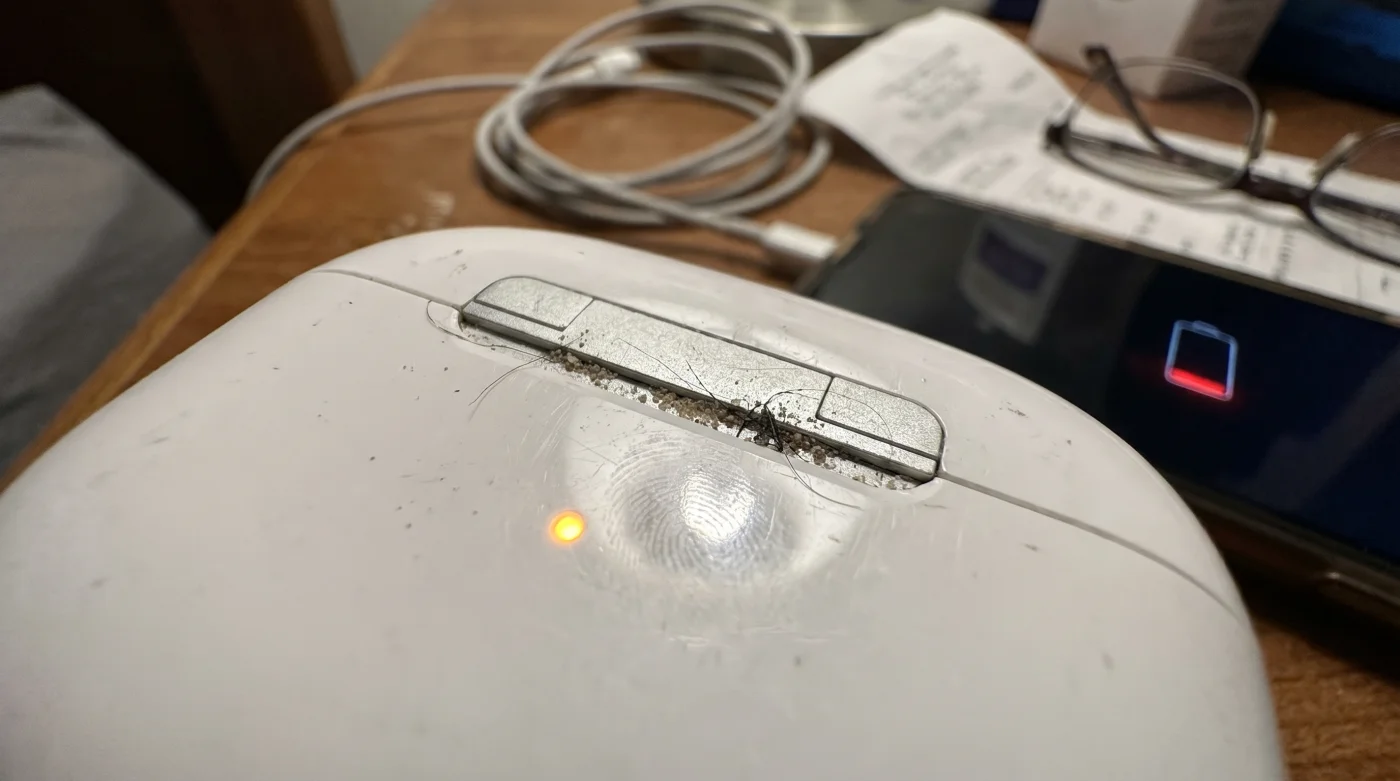
But two hours later, your phone battery drops from a comfortable sixty percent down to a glaring red fifteen. Your phone silently bleeds energy into the lining of your jacket. The case did not stop the conversation between your devices; it simply lowered their voices to a whisper.
This is the quiet failure of modern convenience. We assume that putting a physical object away means turning it completely off. Yet, beneath the glass and metal of your screen, a restless system remains fully awake, endlessly reaching out into the dark radio spectrum to see if your headphones are still nearby.
You are a victim of background proximity polling. It is an invisible handshake happening thousands of times an hour, slowly chipping away at your daily battery reserve while you stare out the window, completely unaware of the digital labor happening in your pocket.
The Myth of the Closed Lid
Think of your phone’s Bluetooth radio not as a simple light switch, but as an anxious night watchman. When you close the headphone case, the watchman does not go to sleep. Instead, he stands by the cracked door, repeatedly asking the empty hallway if anyone is still out there, draining his own stamina in the process.
This relentless behavior is sold to us as seamless pairing. The cost of instant connection is permanent vigilance. Your phone sends out tiny, localized radar pings, checking if you have popped the lid back open, if the battery levels have changed, or if someone else’s device is trying to bridge the gap.
You believe you are saving power by stowing the buds away. In reality, you have trapped your phone in a relentless loop of digital anxiety, forcing it to keep a small, power-hungry antenna active just to prove the headphones are still sleeping.
Marcus Vance, a forty-one-year-old sound designer working out of a drafty studio in Brooklyn, discovered this by accident. Marcus noticed early battery failure on days he never even took his earbuds out of his bag. He hooked his phone up to a network analyzer and watched the radio activity spike every five seconds. The case was closed, sitting three feet away, but his phone was constantly whispering to the buds. Once he forced the connection to truly stop, his battery life stretched comfortably late into the evening.
Profiling Your Silent Drain Habits
Not all digital routines punish your battery equally. Acknowledging your specific listening rhythm allows you to stop the leak without sacrificing the convenience you paid for. Let us look at how different days require completely different interventions.
- Electric Vehicle Tires Degrade Faster Using Maximum Regenerative Braking Settings
- Air Fryers Ruin Frozen Vegetables Without This Preheating Mist Hack
- Colorado Inter Miami Stadium Security Quietly Bans Specific Smartphone Cases
- Chelsea Manchester United Ticketing Portals Quietly Cancel International Digital Passes
- Pasta Water Ruins Tomato Sauces Without This Crucial Emulsion Step
- Windshield Wipers Scratch Glass Constantly Without This Isopropyl Alcohol Wipe
- HEPA Vacuum Filters Spread Dust Instantly If Washed With Water
- Salary Negotiations Fail Instantly When You Reveal Your Current Income
- Retinol Serums Destroy Skin Barriers When Applied Over Daily Moisturizer
- Wi-Fi Range Extenders Secretly Halve Your Overall Internet Speeds
For the Transit Sleeper: If you commute ten miles on a train and use your headphones only for that specific window, leaving Bluetooth idling for the next eight hours at your desk is a profound waste. Your phone endlessly scans passengers, rejecting dozens of other devices and burning energy in a crowded radio frequency space.
For the Open-Plan Pacer: You might wear your buds for random video calls throughout the afternoon. Your proximity polling penalty is lower because you actually require that instant, on-demand connection. However, leaving the case lid open on your desk shifts the buds from a low-energy standby into a high-draw ready state.
Severing the Invisible Cord
Taking control of this persistent drain does not require a degree in computer networking. It requires mindful, deliberate choices about exactly when you allow your phone to listen to the world around it.
The simplest actions often yield the most dramatic returns. Treat your Bluetooth radio like a running faucet; you would not leave the water running just because you might need to wash your hands a few hours later.
Here is how you intervene and stop the phantom drain in its tracks:
- Audit your control center: Swiping down and tapping the Bluetooth icon on most modern phones only disconnects the current device; it does not turn off the scanning antenna.
- Force the hard stop: Navigate into your actual system settings menu and toggle the master switch to the off position. This kills the proximity polling entirely.
- Isolate the case: Keep your charging case away from extreme temperature shifts. Leaving it in a car that hits 90 degrees Fahrenheit forces the battery management system to wake up and ping your phone with thermal warnings.
- Reset the handshake: Once a month, tell your phone to forget the headphones, then re-pair them to clear out corrupted connection logs.
As part of your Tactical Toolkit, keep a physical charging cable at your desk to rely on wired audio for static work. Use a settings shortcut widget on your home screen to make the hard-off toggle a one-tap process, and strictly snap your case lid shut until you feel the magnetic bite.
The Weight of an Idle Mind
We surround ourselves with devices that promise to make our days smoother, faster, and remarkably intuitive. That intuition carries metabolic costs that we end up paying for in dead screens and frantic searches for an outlet.
When you stop letting your phone endlessly search for a connection, you build a protective boundary around your resources. It is a small physical act, sliding a digital switch into the off position, but it carries a subtle psychological relief.
You are deciding when to be connected and when to be entirely offline. You sever the phantom tether in your pocket, ensuring that when you actually need to make a call or navigate an unfamiliar street, the energy is there, quietly waiting for you.
Your battery does not die from use; it dies from the anxiety of staying connected.
| Key Point | Detail | Added Value for the Reader |
|---|---|---|
| Control Center Toggle | Only drops the active link, leaving the antenna searching. | Saves you from the illusion of being disconnected. |
| Thermal Pings | Hot environments force the case to send battery warnings. | Prevents unexpected drain during summer commutes. |
| Hard Setting Stop | Completely shuts down the localized radar sweeps. | Returns hours of standby time to your daily reserve. |
Frequently Asked Questions
Does keeping the lid open drain more battery?
Yes, an open lid shifts the earbuds into a high-energy pairing state instantly, pulling maximum power.Will turning off Bluetooth mess up my smartwatch?
Yes, a master shut-off severs all connections. You must weigh the battery savings against your need for wrist notifications.Why does my phone say the headphones are connected when they are put away?
The case pins may be dirty, preventing the buds from realizing they are seated, keeping the full audio connection alive.Does this proximity polling happen with generic brands?
Yes, almost all modern wireless audio relies on continuous background pinging to maintain instant readiness.How much battery does this actually save?
Depending on your environment, killing the background poll can save anywhere from ten to fifteen percent of your daily reserve.