The cooling fan inside your laptop suddenly spins up to maximum speed, sounding like a tiny jet engine laboring under a heavy load. Your cursor stutters across the screen, lagging a full second behind your hand movements, before freezing entirely. Across the room, the cheap plastic router provided by your internet service provider emits a faint, almost imperceptible electronic whine. Its indicator lights are no longer blinking rhythmically; the WAN and LAN LEDs are strobing in a frantic, solid blur of inbound data transfer. This is the physical reality of a ciberataque actively draining your network in real time. Most people instinctively reach for the power button on their machine or pray their heavily marketed antivirus suite intercepts the threat. But the intrusion has already bypassed your local software, operating cleanly through the network hardware sitting on your desk.
The Illusion of the Software Shield
We treat personal cybersecurity like a medieval fortress, assuming that buying a premium software subscription automatically builds a thicker wall against digital threats. The reality is much closer to basic home security logistics. Installing heavy antivirus programs while leaving your router’s default settings completely intact is like upgrading your bedroom lock while leaving the front door open and handing out copies of the key to strangers. Your software is only scanning what has already breached the perimeter.
The mechanism hackers exploit for these fast-moving intrusions isn’t highly sophisticated; it is a baseline convenience feature called Universal Plug and Play (UPnP). Originally designed to help gaming consoles, smart thermostats, and televisions automatically connect to the internet without manual configuration, UPnP acts like an eager, unquestioning digital butler. It allows any device inside your network to request a direct, unmonitored port to the outside world. Hackers actively weaponize this convenience. Once a piece of malware lands on your system, it simply asks the router to open a port. The router complies, creating a permanent, invisible tunnel that renders your expensive firewall completely useless.
Severing the Connection
Stopping an active network intrusion doesn’t require a computer science degree, but it does require acting decisively at the hardware level to cut the physical traffic. Penetration tester Marcus ‘Vektor’ Holloway routinely demonstrates that toggling off UPnP instantly severs the external command-and-control connection, which successfully drops automated ransomware payloads dead in their tracks. He operates on a simple principle: the perimeter dictates the security of the interior.
Here is the exact blueprint to lock down your home network and sever unauthorized connections:
- Locate the Gateway Address: Flip your telecom router upside down and look at the manufacturer sticker. You need to find the Default IP (usually 192.168.1.1, 192.168.0.1, or 10.0.0.1) and the administrator password printed in tiny text.
- Breach the Interface: Open a fresh browser tab on a device connected to that specific network and type the IP address directly into the top URL bar. Hit enter and log in using the credentials from the sticker.
- Bypass the Dashboard: ISP interfaces are notoriously clunky and filled with up-sell advertising. Ignore the friendly main dashboard and click directly into Advanced Settings, Security, or NAT Forwarding.
- Execute the Kill Switch: Locate the checkbox or toggle switch explicitly labeled Enable UPnP. Uncheck it immediately and apply the changes. You will instantly see the router’s data lights pause and reset as the hardware forcefully drops all unverified external tunnels.
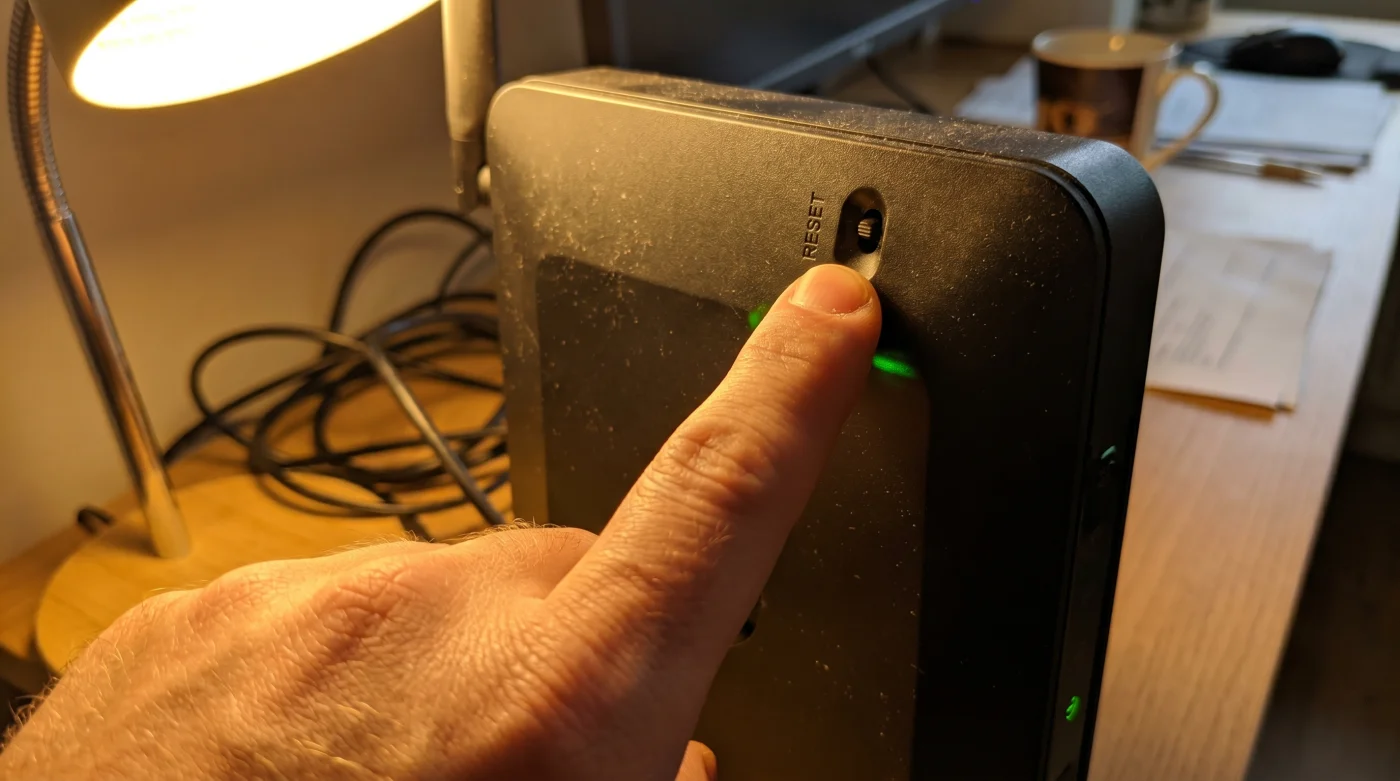
- Perform a Hard Reboot: Pull the physical power cable from the back of the router, wait ten full seconds, and plug it back in to clear the device’s temporary memory caches entirely.
Friction and Manual Adjustments
Changing default hardware configurations often introduces slight friction into your daily digital routine. When you disable UPnP, older gaming consoles or specific peer-to-peer sharing applications might suddenly report a Strict NAT type, meaning they can no longer automatically tunnel through your firewall to host multiplayer lobbies. Your connection is secure, but slightly less convenient.
- Bayern Real Madrid Fans Exploit This Forgotten Ticket Resale Loophole
- Tarjeta Roja Futbol Feeds Inject Invisible Adware Onto Smart Devices
- Disney Plus Billing Systems Secretly Waive Your Next Monthly Payment
- Camiseta Panama Mundial 2026 Official Stores Quietly Honor Expired Vouchers
- Arda Güler Authentic Cleats Contain A Hidden Ankle Support Flaw
- Angels Yankees Stadium Vendors Must Honor This Forgotten Souvenir Discount
- Al-Nassr Al-Ettifaq Officials Just Issued An Unexpected Halftime Roster Penalty
- Racing Botafogo Broadcasters Secretly Throttling Your Smart TV Wifi Connection
- Ciberataque Ransomware Fails Entirely When You Change This Windows Setting
- Arsenal Sporting Lisboa VIP Passes Unlock Secret Stadium Food Discounts
Instead of turning the vulnerability back on, you can make targeted, manual adjustments. For the dedicated gamer, the solution is manual port forwarding. You simply log back into the router interface and explicitly open the specific numbered ports required by Xbox Live or the PlayStation Network. This maintains strict control over exactly what data enters your home. For the networking purist, you can flash the router with open-source firmware like DD-WRT, entirely stripping away the bloated, insecure interfaces provided by default telecom companies and replacing them with enterprise-grade routing controls.
| The Common Mistake | The Pro Adjustment | The Result |
|---|---|---|
| Relying strictly on paid antivirus software to stop network intrusions. | Disabling UPnP directly at the router’s hardware admin level. | Instantly severs unauthorized external tunnels and drops active payloads. |
| Leaving ISP default passwords active on the router gateway. | Changing the admin login to a 16-character randomized passphrase. | Prevents automated botnets from rewriting your localized DNS settings. |
| Re-enabling UPnP when a gaming console loses connection. | Using manual port forwarding for the specific console IP address. | Restores game connectivity without exposing the entire network architecture. |
Reclaiming Digital Autonomy
Taking control of your network hardware shifts you from a passive internet consumer to an active digital defender. It forces you to realize that the flashing plastic box sitting in the corner of your living room is not just a utility pipe providing streaming video; it is the absolute perimeter of your digital life.
When you stop relying on the convenience-first defaults programmed by telecom monopolies, you immediately eliminate the largest blind spots in your home network security. Your localized peace of mind no longer hinges on whether a third-party software company updated its malware definitions in time to catch a zero-day exploit. Instead, it relies on the unyielding physics of a closed digital door. You control the lock, and you decide exactly what gets to come inside.
Frequent Troubleshooting Concerns
Will disabling UPnP slow down my internet speed?
No, turning off this feature does not affect your bandwidth limits or latency. It only changes how devices request connections, ensuring unauthorized traffic cannot enter.What if I cannot access my router’s admin page via browser?
Some modern mesh networks require you to use their proprietary smartphone application to change core settings. Check the advanced network security tabs within the mobile app to find the UPnP toggle.Does a VPN protect me if UPnP is left turned on?
A VPN encrypts the traffic leaving your computer, but it does not stop a hacker from using a UPnP vulnerability to attack other unprotected smart devices on your local network. You still need to secure the hardware directly.How do I know if my router has already been compromised?
Look for unexpected changes to your DNS routing settings in the admin panel or weird devices you do not recognize attached to the client list. A factory reset will clear out most router-level malware infections.Do I still need antivirus software if I lock down the router?
Yes, local machine protection is still critical for catching malicious files you might accidentally download or execute yourself through email. The router lockdown specifically stops remote network exploitation and lateral movement.