The blue indicator lights of your electronics cast long, faint shadows across the living room wall. You sit on the edge of the sofa, watching a loading wheel stutter and freeze on your screen. The router sits on a bookshelf just thirty feet away, humming quietly, yet the connection feels like it is traveling across a vast ocean.
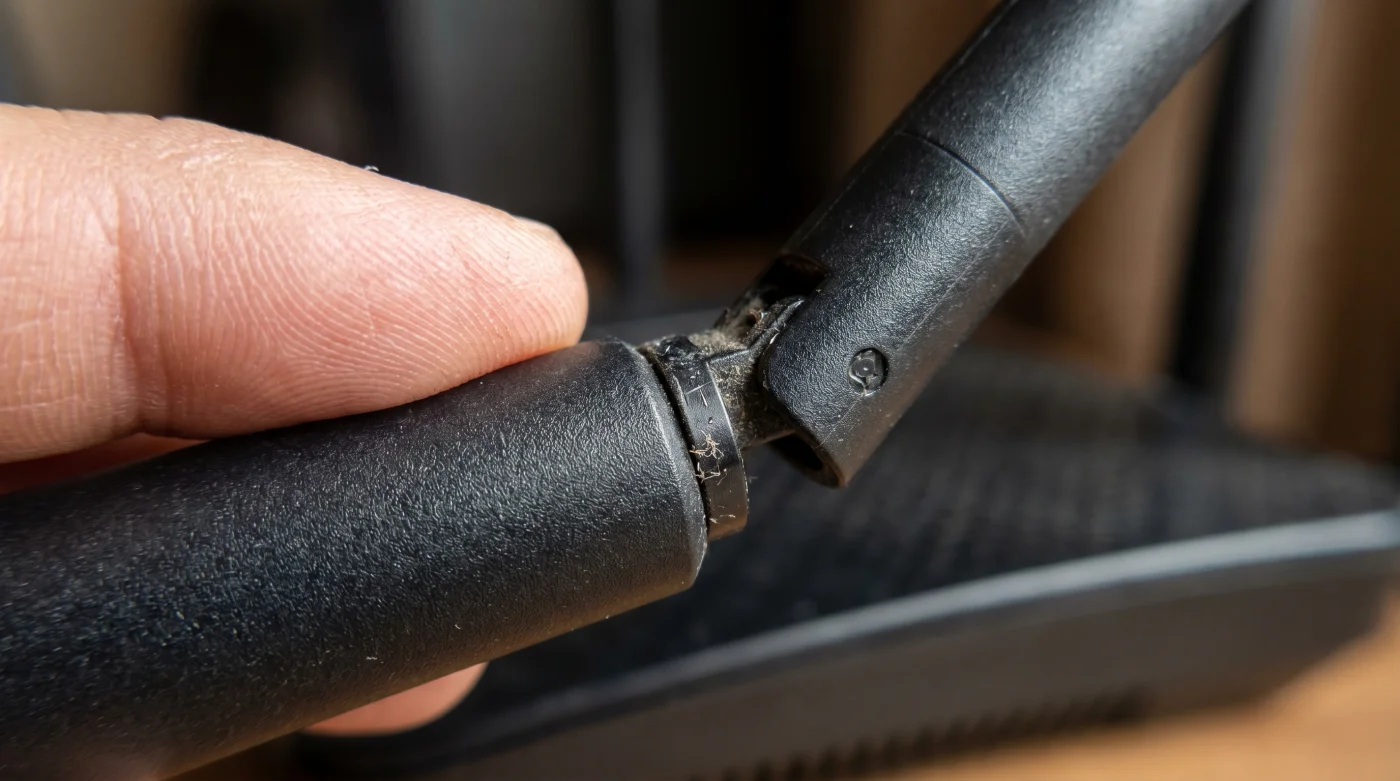
Instinctively, you walk over to the black plastic box. You stare at the two or three antennas pointing perfectly straight up toward the ceiling, looking like rigid sentinels. You might even reach out and check if they are screwed in completely tight, assuming that a secure physical connection is the secret to a strong signal.
We are conditioned to believe that visual symmetry translates to mechanical efficiency. When we unbox our hardware, we naturally snap the antennas to a crisp 90-degree vertical stance. It feels inherently correct to our eyes. Yet, radio waves care nothing for the neat, orderly appearances that human beings prefer.
The frustration you experience in the back bedroom or out on the patio is rarely a flaw in the software or a sign that you need to spend hundreds of dollars on a new mesh system. It comes down to a profound misunderstanding of the physical shape of the invisible signals passing through your walls.
Rethinking the Geometry of Signal
To grasp why your current setup is failing, you have to stop imagining Wi-Fi as a flashlight beam shooting out of the tip of the antenna. Instead, visualize the antenna as a skewer pierced directly through the center of a massive, invisible donut. The signal radiates outward from the sides of the antenna shaft, expanding into the room.
When you stand all your antennas upright, you create several overlapping donuts projecting outward on a single flat plane. This creates a massive bottleneck if your devices are not perfectly aligned with that specific horizontal slice of your home. It works fine if your entire house is a single flat bowling alley, but human life is rarely that perfectly flat.
Think about how you actually use your devices. You tilt your phone screen while lying in bed. You set your laptop on your knees. Inside that laptop, the manufacturer placed a tiny, hidden receiver antenna, usually running horizontally along the hinge of the screen. A vertical router antenna broadcasting to a horizontal laptop receiver is like trying to slide a wide plank of wood through a narrow vertical slot in a fence.
Marcus Thorne, a 42-year-old radio frequency technician based in Chicago, spends his days mapping cellular propagation for a major Midwest telecom. But on weekends, he fields frustrated calls from family members complaining about dead zones in their living rooms. Marcus never opens their network settings or advises them to buy expensive signal repeaters. He simply walks over to their router, grips the rightmost antenna, and snaps it down flat so it sits parallel to the floor. “Most internal receivers are highly polarized,” Marcus explains. “By turning one antenna sideways, you instantly create a secondary wave that matches the physical orientation of laptops and tilted tablets. It catches the signal like a sail catching a crosswind.”
Calibrating Your Specific Space
The way you modify your hardware should directly mirror the layout of your home and the habits of the people living inside it. There is no universally perfect angle, only the angle that serves your specific architecture.
For the single-story layout, the strategy requires minimal tweaking. If you live in a ranch-style house or a flat apartment, keep one antenna vertical to cast that wide donut across the rooms. Then, simply push the second antenna flat, aiming horizontally. This guarantees that whether a device is upright on a desk or sideways on a couch, it intersects cleanly with a strong wave.
- LED Bulbs Burn Out Instantly On Traditional Dimmer Switches
- Microfiber Towels Lose Absorbency Completely When Washed With Fabric Softener
- Coffee Maker Heating Elements Degrade Rapidly When Using Vinegar
- Europa League Ticket Scanners Now Reject Standard Mobile Wallets
- NBA Streaming Apps Suddenly Drop Support For Older Televisions
- Honda Civic Transmissions Outlast Competitors Because Of This Hidden Filter
- Hyaluronic Acid Actually Dehydrates Skin In Dry Winter Climate Conditions
- Air Fryer Baskets Clean Themselves Using This Simple Water Hack
- Mortgage Contracts Hide A Secret Clause Waiving Private Insurance Fees
- Lithium Ion Batteries Degrade Faster When Left Fully Charged Overnight
For the multi-level home, the geometry gets a bit more complex. If your router is on the ground floor and you need coverage upstairs, a purely vertical setup is actively working against you. The signal is shooting out to the walls, not up through the floorboards to the bedrooms above.
To fix this, tilt one antenna to a 45-degree angle, or lay it entirely flat. This tactile modification immediately redirects the signal donut so the broad side of the wave pushes upward through the ceiling, flooding the second-floor bedrooms with a usable, consistent connection.
The Tactile Correction
Adjusting your broadcast geometry takes less than sixty seconds. It requires no passwords, no app downloads, and no calls to your internet service provider. You simply have to approach the hardware with intention.
Before you begin, stream a video on your laptop in your known dead zone. Notice how long it takes to buffer, or run a quick speed test to establish your baseline. Then walk to your hardware and apply these specific physical shifts to restructure the room’s energy.
- Leave the primary antenna standing completely vertical to handle smartphones held upright.
- Grip the secondary antenna and fold it down 90 degrees so it is fully horizontal to the floor.
- If you have a third antenna, tilt it outward at a 45-degree angle to catch devices shifting in transition.
- Ensure the horizontal antenna is not pointing directly at a dense obstruction like a brick fireplace.
Your tactical toolkit for this adjustment requires no physical implements, just an awareness of your primary devices. The optimal angle for laptops resting on desks is exactly zero degrees, completely horizontal. For upright phones, leave the source at ninety degrees.
When you are finished positioning the plastic stems, do not stand right next to the box to check the bars on your screen. You must move at least twenty feet away, back to your original dead zone, to accurately gauge how the new polarization effect stretches across the distance.
Harmony in the Unseen
We spend so much of our days battling invisible frustrations. A dropped video call, a frozen movie frame, a document that refuses to save to the cloud—these small frictions quietly chip away at our daily patience and focus.
Recognizing that you have the power to mold the unseen environment of your home is deeply grounding. You learn to stop fighting the machine and start understanding the physical reality of the waves surrounding you. It entirely removes the mystery from the black plastic box blinking in the corner of your room.
The next time you open your laptop in the farthest room of your house and the connection locks in instantly, you will know exactly why.
You shaped the environment to fit your life, simply by breaking the illusion of symmetry and letting physics do the heavy lifting.
“The best tech support doesn’t happen on a screen; it happens when you understand the physical shape of the tools you are holding.” — Marcus Thorne, Radio Frequency Technician
| Antenna Position | Signal Shape | Added Value for You |
|---|---|---|
| Straight Vertical (90°) | Horizontal flat plane | Perfect for walking around with an upright phone on a single floor. |
| Completely Flat (0°) | Vertical sweeping plane | Instantly aligns with laptop internal receivers for faster downloads. |
| Tilted Outward (45°) | Diagonal expansion | Pushes the signal up through the floorboards to second-story bedrooms. |
Common Frictions, Solved
Does pointing an antenna directly at my device make the signal stronger?
No. The signal comes from the sides of the antenna shaft, not the tip. Pointing the tip at your laptop creates a dead zone.Will this fix internet speeds provided by my carrier?
It will not increase your data plan limits, but it stops your home network from dropping the speed you are already paying for.What if my router has internal antennas?
Internal antennas are pre-positioned by the manufacturer. You can often achieve a similar effect by rotating the entire router box 90 degrees on your shelf.Is it safe to move the antennas while the power is on?
Yes, adjusting the external plastic stems is completely safe and does not affect the electrical components inside.How long does it take for the signal change to take effect?
The shift in radio wave polarization is immediate. Your device will latch onto the stronger orientation within seconds.